

One UI 8 features to look out for
This article discusses some One UI 8 features for Samsung phone users
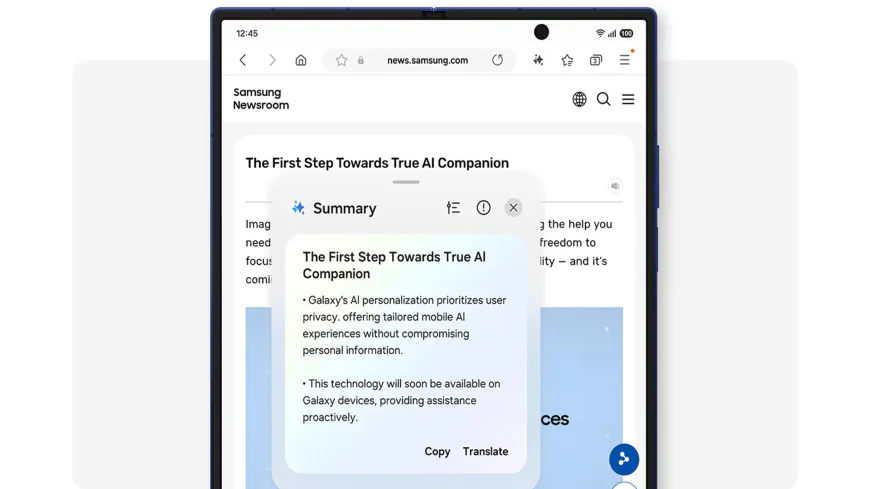
Samsung users around the globe have access to a wonderful tool. The customizability of One UI 8 has awed many users. From changing the accent colors to icon styles, the Samsung in-house UI has come a long way. This article aims to discuss a feature that many users may have likely missed.
Let's discuss an existing One UI feature, along with what to expect in the latest update.
Menu Options on the Home Screen
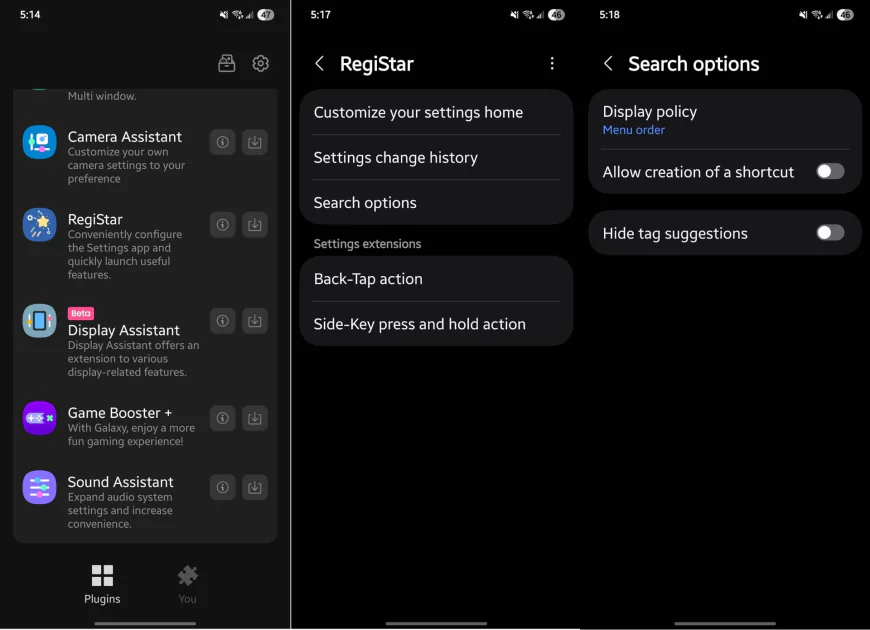
Gone are the days when the user had to fumble through a jumbled-up array of icons for different Settings options. In One UI 8, these Settings can be set on the Home Screen itself, just a tap away. The requirement for this is an app available on the Samsung Store. Please note that the Samsung store is not the same as the Play Store, i.e., Google’s app store.
The app required is named Good Lock. This app provides many customizable features that can enhance your experience. The plug-in in question is called RegiStar.
Once the 12.1 MB plug-in is downloaded, the next step is to open Registar on Good Lock. There is an option named” Search options.” After clicking that, the “Allow creation of a shortcut” should be enabled.
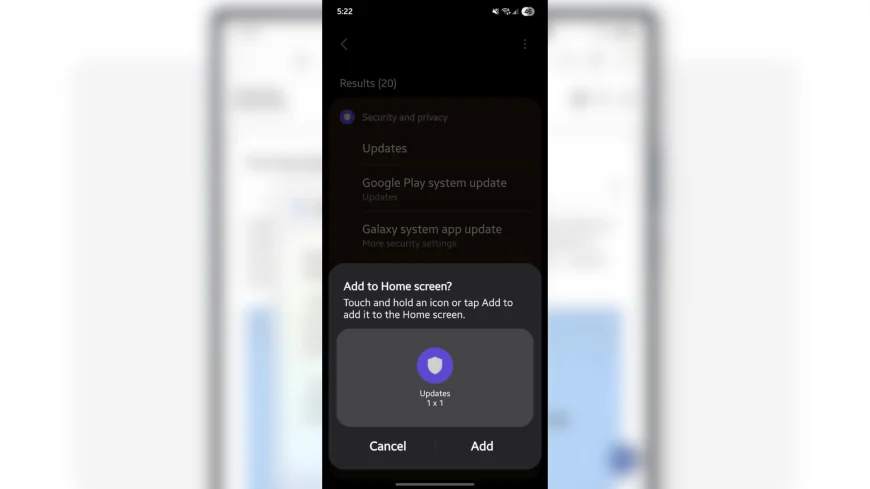
However, the settings options are not available in Good Lock. For that, the Settings should be opened. Now, after searching for any Setting, long-pressing the said Setting would enable the user to add the icon to their Home Screen.
What's Your Reaction?
 Like
0
Like
0
 Dislike
0
Dislike
0
 Love
0
Love
0
 Funny
0
Funny
0
 Wow
0
Wow
0
 Sad
0
Sad
0
 Angry
0
Angry
0

Rafat Shams
I am a thriller author who is an avid gamer. After pursuing a Bachelor's degree in Engineering, I steered towards journalism. I have written for children and young adults in magazines. Moreover, I have worked for the renowned sports portal, Sportskeeda.


















Comments (0)